
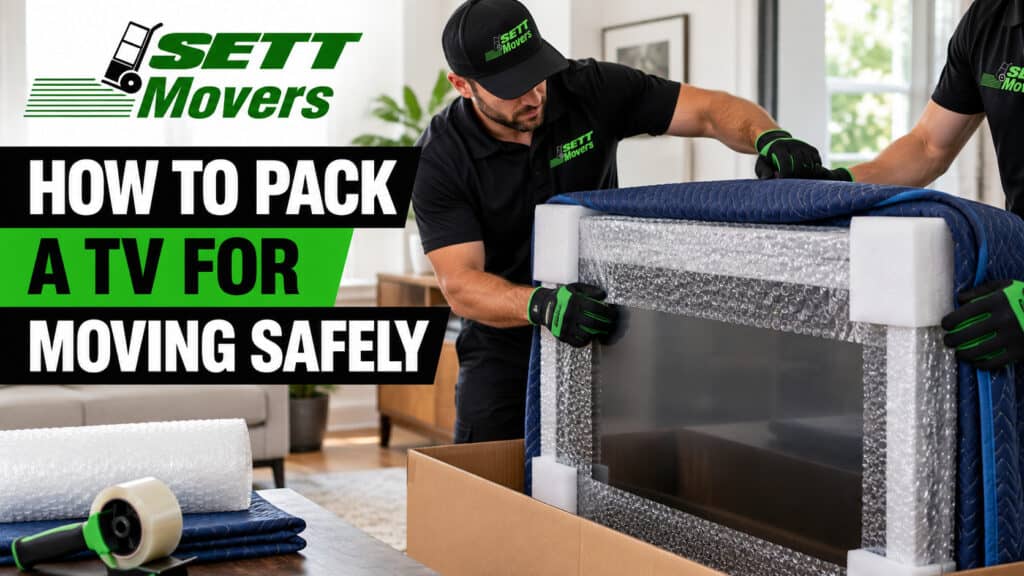
A TV is one of the easiest things to break in a move and one of the most expensive to replace. The screen is thin, the glass is under tension, and a single point of pressure in the back of a truck can leave a crack or a dead patch of pixels you will not see until you plug it in at the new place.
The good news is that learning how to pack a TV for moving takes about 30 minutes and a handful of cheap supplies. This guide walks through the full process: what to gather, how to wrap a TV with or without the original box, how to load it, and how to set it back up. If you would rather hand it off, we also cover when it makes sense to let a professional packer do it.
What You Need to Pack a TV
The best container is the original box with its foam inserts. If you threw it out (most people do), a purpose-built TV box or a careful wrap job works almost as well. Gather these before you start:
- A TV box or the original box. Adjustable TV moving boxes fit a wide range of screen sizes. Buy one sized for your TV, since a box that is far too big lets the set shift and a box that is too small puts pressure on the screen.
- Foam corner protectors. The corners and edges take most of the impact, so do not skip these.
- Bubble wrap, packing paper, or a foam sheet. You will use this to cushion the screen and fill any gaps.
- Moving blankets and stretch wrap. These are essential if you are wrapping the TV without a box.
- A microfiber cloth. It cleans the screen and gives you a soft layer to place against the glass.
- Painter’s tape or standard packing tape. Use the painter’s tape anywhere it might touch the TV. Packing tape stays on the box or the blanket only.
- Plastic bags, labels, and a marker. These keep cables, remotes, and mounting hardware organized.
How to Pack a TV Without the Original Box
Set aside 20 to 30 minutes and, for anything 55 inches or larger, a second pair of hands.
- Photograph the back of the TV. Take a clear picture of every port and cable before you unplug anything. It saves you from guessing at setup time.
- Disconnect everything. Unplug the power cord, HDMI cables, and any streaming sticks. Remove the batteries from the remote. Bag each group of cables and label the bag with the device name.
- Take off the stand or wall mount. Unscrew the legs or base and pack them separately with their screws taped inside a labeled bag. If the TV is wall-mounted, lift it off the bracket with a helper and keep the bracket hardware together.
- Clean the screen. Wipe it with a dry microfiber cloth. Dust trapped under the wrapping can scratch the glass. Skip liquid cleaners unless your TV’s manual approves them.
- Protect the screen. Lay a clean microfiber cloth or a foam sheet over the glass. If you are using bubble wrap, keep the smooth side against the screen, and check your manual first, since some OLED and QLED screens should not touch bubble wrap directly. A cut-to-size piece of cardboard over the front adds a stiff shield.
- Pad the corners and edges. Press foam corner protectors onto all four corners, then wrap the whole unit in bubble wrap. Secure the wrap with painter’s tape on the frame, never on the screen.
- Add a moving blanket. Wrap the padded TV in a moving blanket and hold it together with stretch wrap, going around in both directions.
- Box it if you can. Slide the TV into a TV box, fill any space with packing paper so it cannot shift, and seal every seam with packing tape.
- Label the box. Write “FRAGILE,” “THIS SIDE UP,” and “TV” on several sides, with arrows pointing to the top.
Packing a TV in Its Original Box
If you kept the box, you are most of the way there. Follow steps 1 to 4 above, then fit the original foam inserts around the TV and lower it in. Tape the bottom seams, fill any gaps, and seal the top. The inserts were molded for that exact model, so you do not need extra bubble wrap.
One tip: have a helper hold the box open and steady while you lower the TV in. Sliding a screen into a floppy box on your own is how corners get chipped.
Special Cases: Large, Curved, and Older TVs
Large TVs (65 inches and up). Use a large or extra-large double-walled box and plan on two people for every lift. A 75-inch set is awkward and heavy enough that you should wait for help rather than carry it solo. Check that it will actually fit in your vehicle before you pack it.
Curved TVs. The curve means a flat sheet of foam or cardboard will not sit evenly against the glass. Use a soft layer such as a microfiber cloth first, then cushion the edges and corners with extra foam. A box made for curved screens is worth the extra cost.
OLED screens. These panels are the most fragile, so use the original packaging whenever possible and avoid direct contact with bubble wrap.
Older TVs. Tube and early flat panels are often heavier than they look. If a TV is more than seven years old and cheap to replace, it may be smarter to donate or recycle it than to pay to move it.
Loading, Transporting, and Unpacking Your TV
A well-packed TV can still be damaged by how it rides. Keep it upright, always. Laying a flat-screen on its back or face puts pressure on the panel, which can crack the glass or distort the edges. OLED panels are the most vulnerable.
In a moving truck, stand the TV on its edge between two flat, sturdy items such as a mattress and a sofa, and pad any gaps with blankets. Secure it with straps so it cannot slide. Never stack boxes or furniture on top of it. In a car, set it upright on the back seat, wedge it in place, and make sure it does not block your view.
When you arrive, carry the box in upright and unpack it before you do anything else. Reattach the stand or mount, then let the TV sit for a few hours to reach room temperature before you plug it in, especially after a cold or hot day in transit. Use your photo of the back panel to reconnect everything, and test the screen right away so any damage is easy to document.
Common Mistakes to Avoid
- Laying the TV flat in the truck or car.
- Putting packing tape directly on the screen.
- Carrying the TV by the screen instead of the frame.
- Using a box that is much too big or too small.
- Leaving the power cord and cables attached during the move.
- Skipping the label, so the box ends up under heavy items.
When to Let a Professional Pack Your TV
Packing a TV yourself is very doable, but some situations call for a pro. Consider handing it off if the TV is 65 inches or larger, if it is an OLED or curved model, if you no longer have the original box, or if you simply have a hundred other things to pack and not enough time.
If you are moving in New Jersey and want the TV, the artwork, and the kitchen handled by people who do this every day, SETT Movers offers professional packing services that cover fragile items like electronics. The crew brings the right materials, wraps each piece properly, and loads it so it travels upright and secure.
To get a quote for your move, contact SETT Movers and tell us what you are moving and when.
Frequently Asked Questions
Can you lay a TV flat when moving?
No. Always move a TV upright. Lying it flat puts pressure on the panel and can crack the screen or distort the edges. If you truly have no choice, cushion it heavily on every side and check the manufacturer’s guidance first.
Can you pack a TV without the original box?
Yes. Cover the screen with a soft layer, add foam corner protectors, wrap the TV in bubble wrap and a moving blanket, and hold it all with stretch wrap. A TV moving box makes it even safer.
What can I use to wrap a TV?
Use a microfiber cloth or foam sheet against the screen, then bubble wrap, a moving blanket, and stretch wrap. Keep tape off the glass.
Should I take the stand off before packing?
Yes. Remove the stand or legs and pack them separately with their screws in a labeled bag. It makes the TV easier to box and prevents damage to the base.
How long should a TV sit before I turn it on?
Let it rest for a few hours at room temperature after unpacking so condensation or temperature swings do not affect the electronics.
Is it worth moving an old TV?
If it is more than seven years old and inexpensive to replace, donating or recycling it can cost less than moving it.